First check whether a project invitation or an event invitation is missing. These are separate messages.
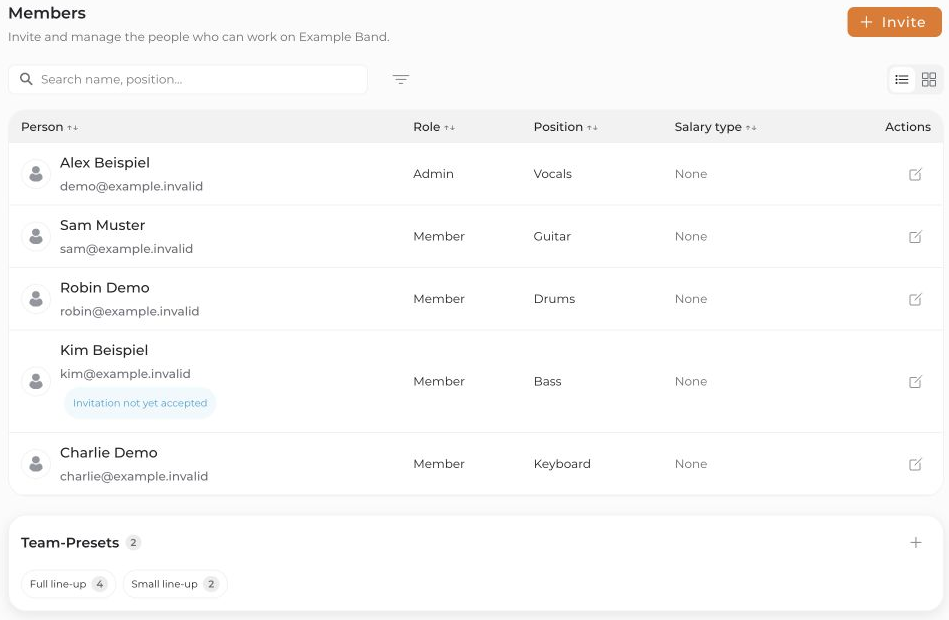
- As a project admin, open Members and check the email address shown.
- For a project invitation, check whether it was actually sent. Send invitation email now must be enabled when adding the person. Without this option, they are initially added without that email.
- Check for invitation-limit or delivery-error messages. An entry in the members list alone does not confirm delivery.
- Ask the person to search their inbox and spam/junk folder for “connactz” and the project name.
- If the project invitation is still pending, use the pencil icon to open the member details. You can use Resend invitation there when that action is available.
If an event invitation is missing
Open the relevant event in Calendar and check Team. Is the person selected, and have they already been invited? Smart Mode does not invite every selected person at once; priority and remaining places determine who is invited next. A withdrawn invitation is no longer active. Resend invitation in the member details concerns the project invitation and does not replace an event invitation.
If the message still does not arrive, contact [email protected]. Include the project, affected recipient address, invitation type, and approximate sending time. Do not include passwords or personal invitation links.


