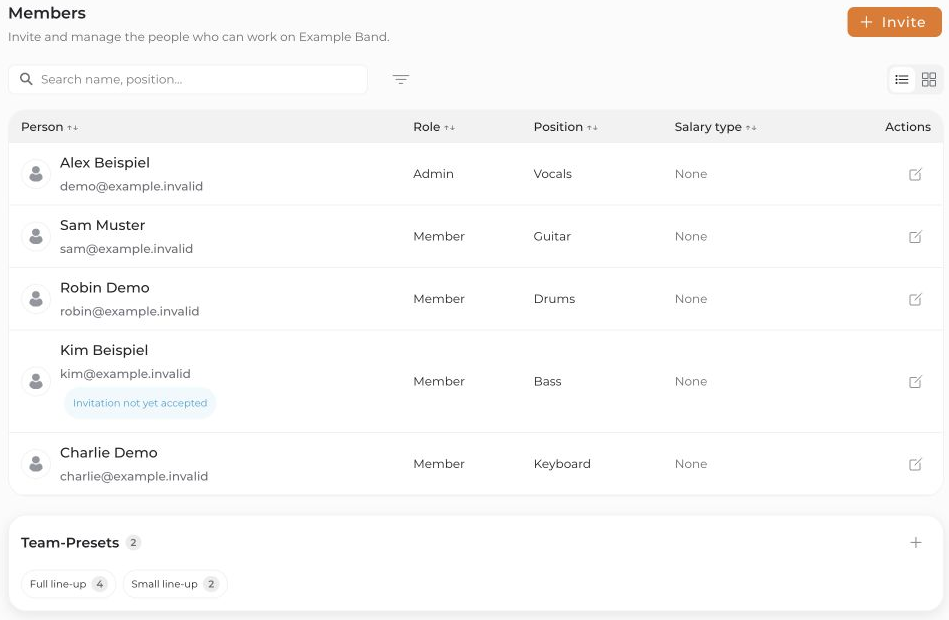
You need the Admin role in an open project to add people.
- Open the project and select Members.
- Click Invite. For an empty team, an invitation action may appear in the guidance banner instead.
- Select a role, enter the email address(es), and choose Next.
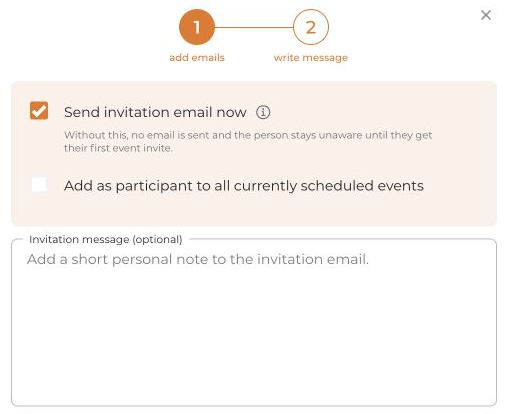
- Decide whether to keep Send invitation email now enabled:
- Enabled: A project invitation is sent by email. You can add a personal message.
- Disabled: The person is initially added without that invitation email. This does not disable later event invitations.
- Review the separate Add as participant to all currently scheduled events option. It adds the person to existing future events, not past events or blockers. It does not mean the person has accepted those events.
- Click Send invitation or, without an email, Add person. Check any delivery or invitation-limit messages.
Roles: Admins manage the project and its team. Members belong to the regular project team. Guests have limited access to the events they are invited to. Project membership is not the same as accepting an event.