Set the invitation mode under Team → Invitation details in the event.
Smart Mode
connactz invites selected people by priority, according to the number needed for each position. When places become available, for example after someone declines, further candidates are invited.
For unanswered invitations, you have two options:
- Wait for explicit response (no timer): No automatic withdrawal for a missing reply.
- Use timer (withdraw if no response): An unanswered invitation is withdrawn after the configured waiting time, allowing further candidates to move up.
First Come, First Served
All selected people are invited without waiting for other replies first. Confirmations fill the available places. Pending invitations for fully staffed positions are withdrawn.
No limit
Use Invite all selected (no limits) to invite everyone selected without a limited number of places.
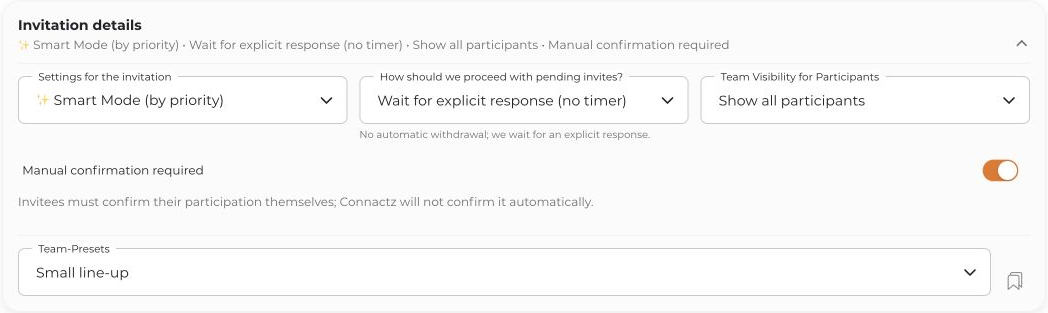
Manual confirmation
Manual confirmation required disables automatic acceptance through Auto-Accept. The invitee should respond themselves; it does not mean an additional approval by an admin.
With this option disabled, Auto-Accept can apply only if the member allows it for this project and their complete availability is reliably verified by the current check. “No visible conflicts” alone does not automatically mean “available”.


