Under Billing & Contact, you maintain your project's details for invoices, contracts, and related communication. You need admin access to an open project.
Add the details
- Open the relevant project and select Billing & Contact in its navigation.
- Under Bank Info, add the account holder and IBAN if required.
- Under Billing address, enter the project address and necessary tax details.
- Under Contact Information, check the project's email address and phone number.
- Review your changes and select Save in the action bar that appears at the bottom.
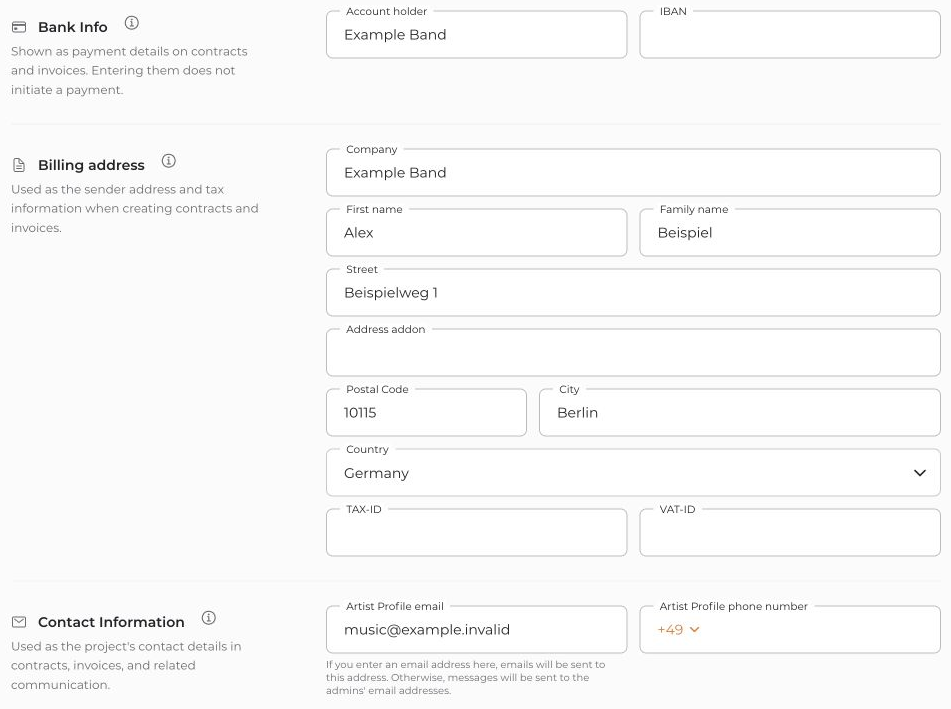
These details provide starting values for new documents. Check them in each document as well; existing PDFs are not changed retroactively. Bank details can be visible to the recipients of invoices and contracts you send.
Saving these details does not start a subscription or trigger a payment. It does not replace managing your subscription payment method under Subscription.


