The widget settings bring two connactz building blocks to your own website: the list of your next events and the booking form, where organizers send you a request directly. You need admin rights in a music project and the desktop web app — widget settings are not available for film projects or in the mobile app.
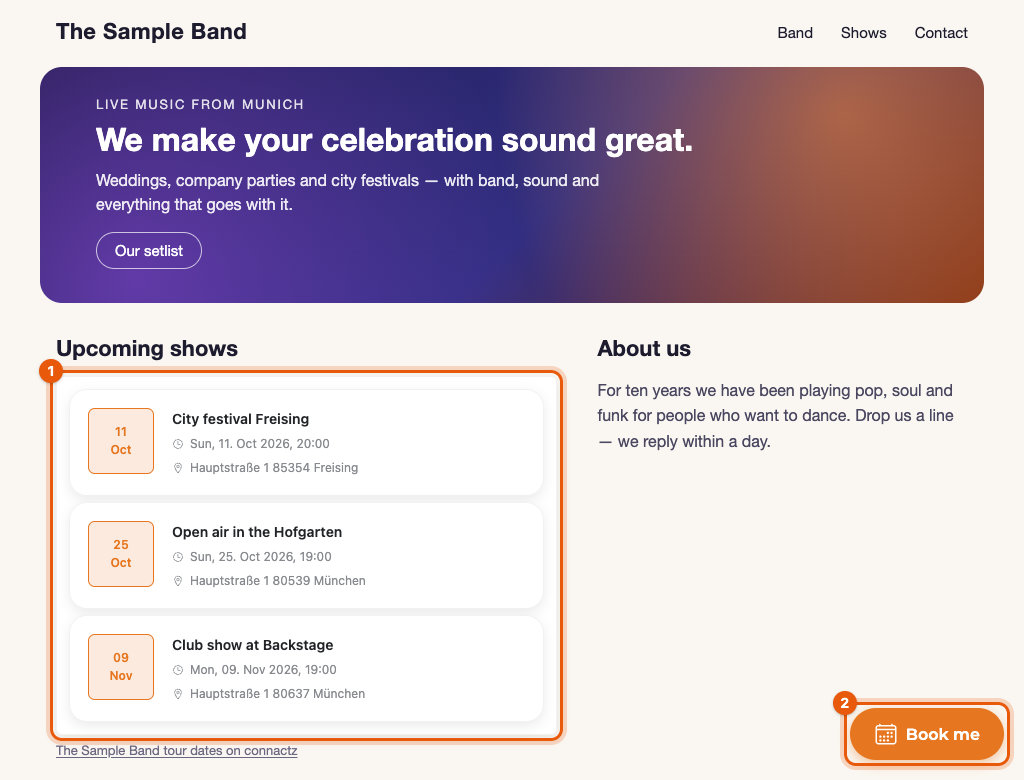
Authorize your domain
Your widgets run on the domains you authorize beforehand. Without that authorization, connactz serves no data and the spot on your page stays empty.
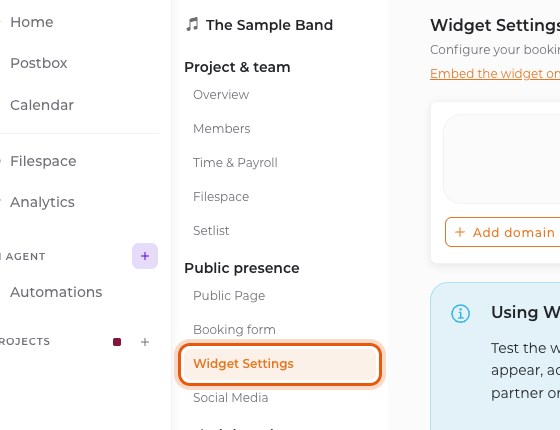
- Open your music project and, under Public presence in the project navigation, select Widget Settings.
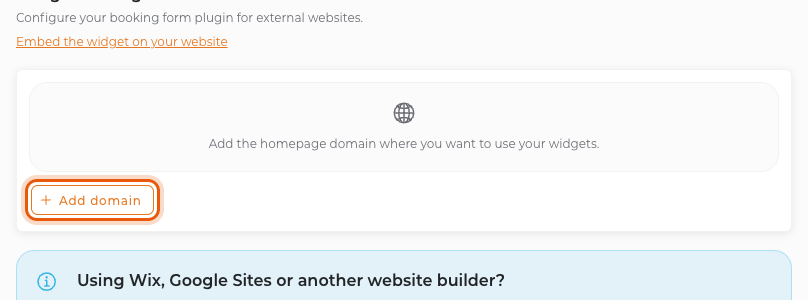
- Click Add domain.
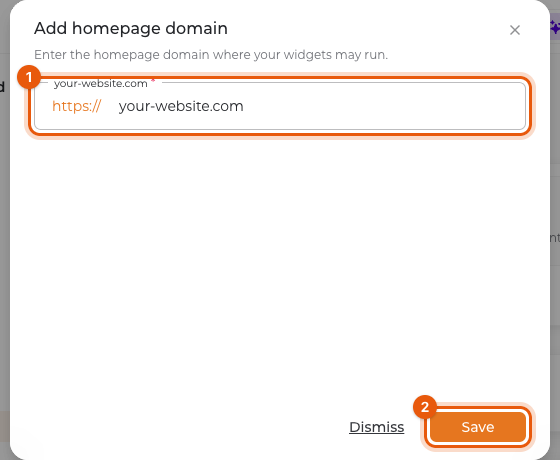
- Enter your website's address, for example
your-website.com(1), and confirm with Save (2). Subdomains of an authorized domain work automatically.
Authorized domains then appear as chips at the top of the widget settings and are stored as your project's homepage link at the same time.
Configure the widget
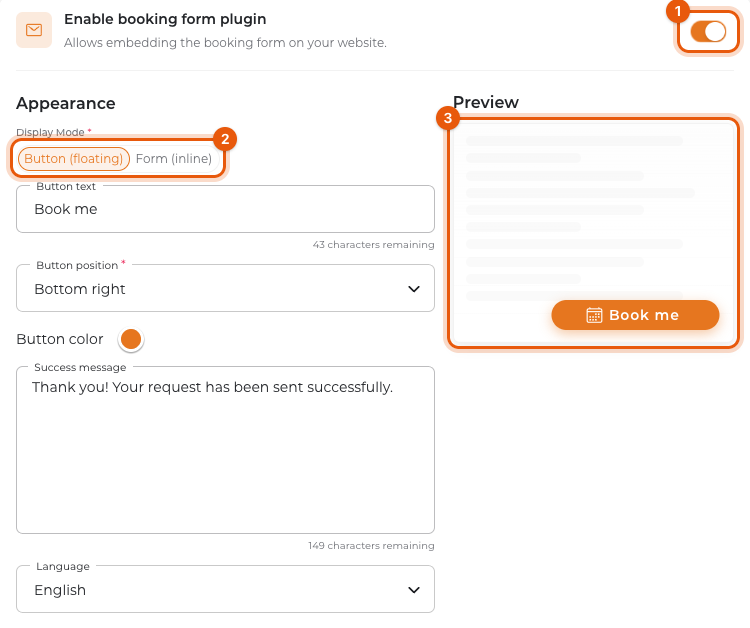
- Turn on Enable booking form plugin (1).
- Under Display Mode (2), choose how the widget appears:
- Button (floating): a floating button in a corner of your page that opens the form as an overlay.
- Form (inline): the form appears exactly where you paste the code.
- Adjust button text, button position, button color, success message and language. The Preview (3) shows the result right away.
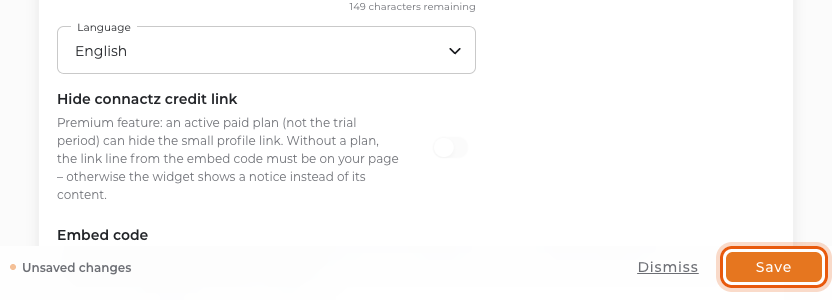
- In the bar at the bottom of the page, click Save.
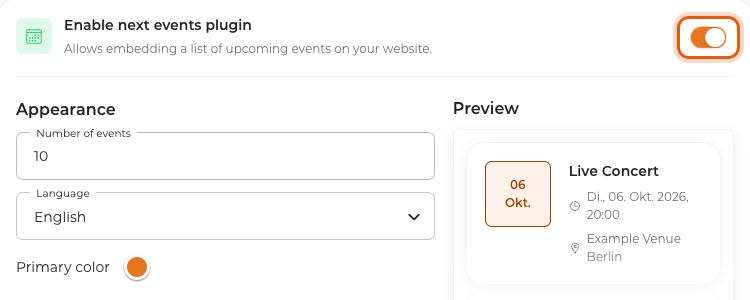
For the event list, additionally turn on Enable next events plugin and set the number of events, the language and the primary color there. Apply these settings with Save in the bar at the bottom as well.
Paste the code into your website
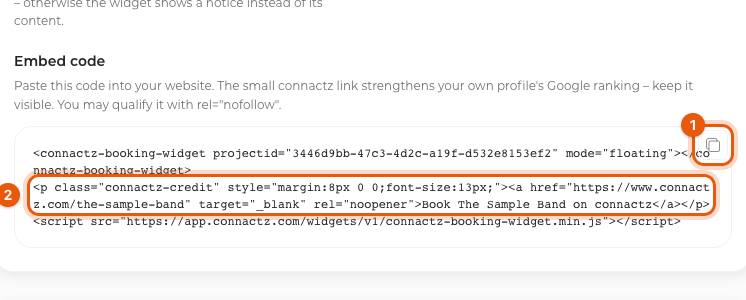
- Under Embed code, copy the complete snippet with the copy button (1) — including the link line (2) and the
<script>tag. - Paste it into your website where the widget should appear. Most website builders need an HTML block for this: Custom HTML in WordPress, Embed code in Wix, Code in Squarespace, the HTML widget in Jimdo.
- Publish your page and reload it.
Always copy the code fresh from the settings: it carries your project ID and the matching profile link. The booking form and the event list each have their own snippet — paste the matching code for each widget.
The small connactz link below the widget
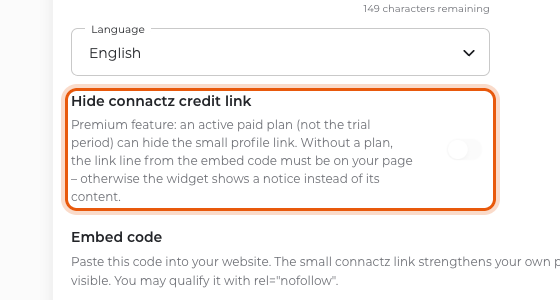
The embed code includes a short line that links to your public connactz profile. Kept visible, it strengthens your profile's Google ranking; you may qualify it with rel="nofollow".
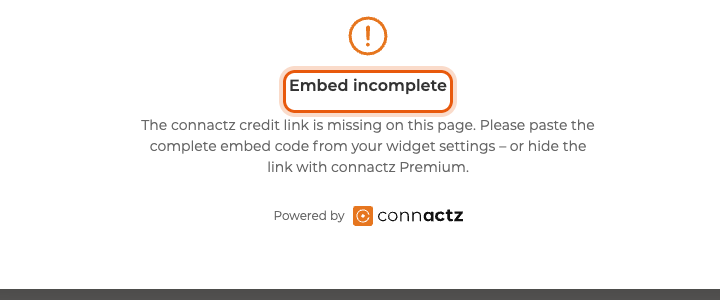
- Without an active paid plan, this line belongs on your page. If it is missing, the widget shows the Embed incomplete notice instead of its content.
- With an active paid plan — the trial period does not count here — you can remove it via Hide connactz credit link.
- As long as your project is unpublished, there is no public profile to link to, and no credit line either. Configure public project page explains how to publish it.
Check that everything works
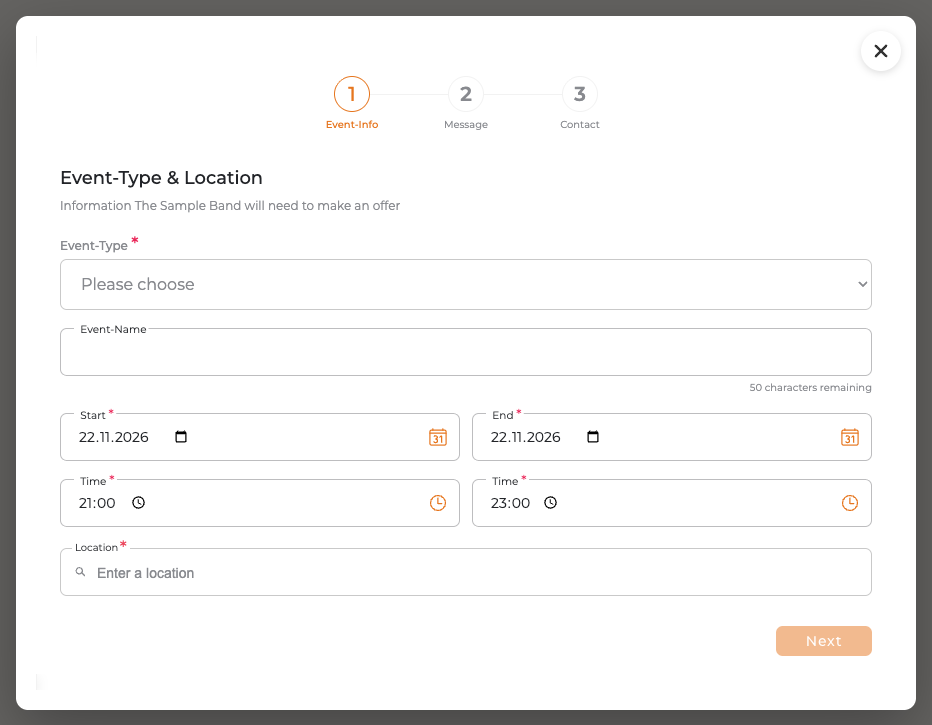
Open your published website while logged out and check that the button or form appears. Your website builder's editor preview may run under a different address; the spot stays empty there. Clicking the button opens the request form exactly as organizers see it. Do not submit a request just to check the display.
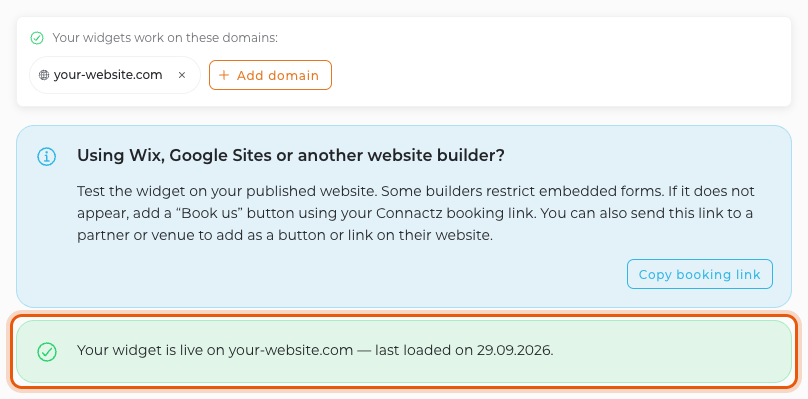
Once the widget has loaded from an authorized domain for the first time, the widget settings show a green confirmation with the domain and date at the top. Copying the code alone does not trigger it yet.
If something is missing
Nothing appears on the page. Check that the domain is authorized, the plugin is enabled and saved — and that the page really runs on that domain.
"Embed incomplete" appears instead of the form. The link line from the embed code is missing on your page. Paste the complete snippet again.
The code disappears when you save. Some website builders strip <script> tags from ordinary text blocks. Use the dedicated HTML or embed block instead.
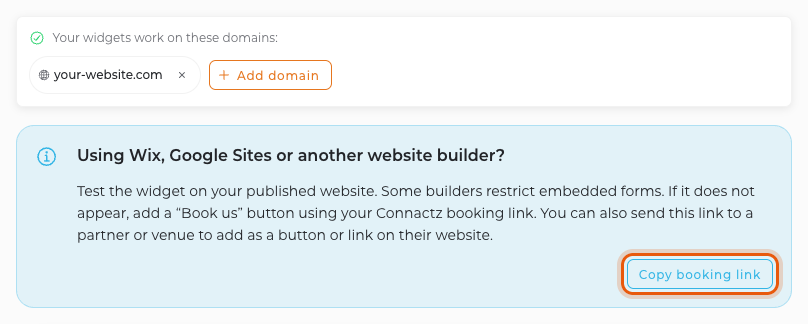
Your builder does not show the form even with the complete code. Some website builders such as Wix or Google Sites restrict embedded forms. Use your booking link instead: in the widget settings, in the notice “Using Wix, Google Sites or another website builder?”, click Copy booking link and add the link to a button or link on your website. It opens your request form on connactz; you can also send it to partners or venues. The button is only available for published projects, and the link does not trigger the green confirmation.
The event list stays empty. There are currently no upcoming events to show.


