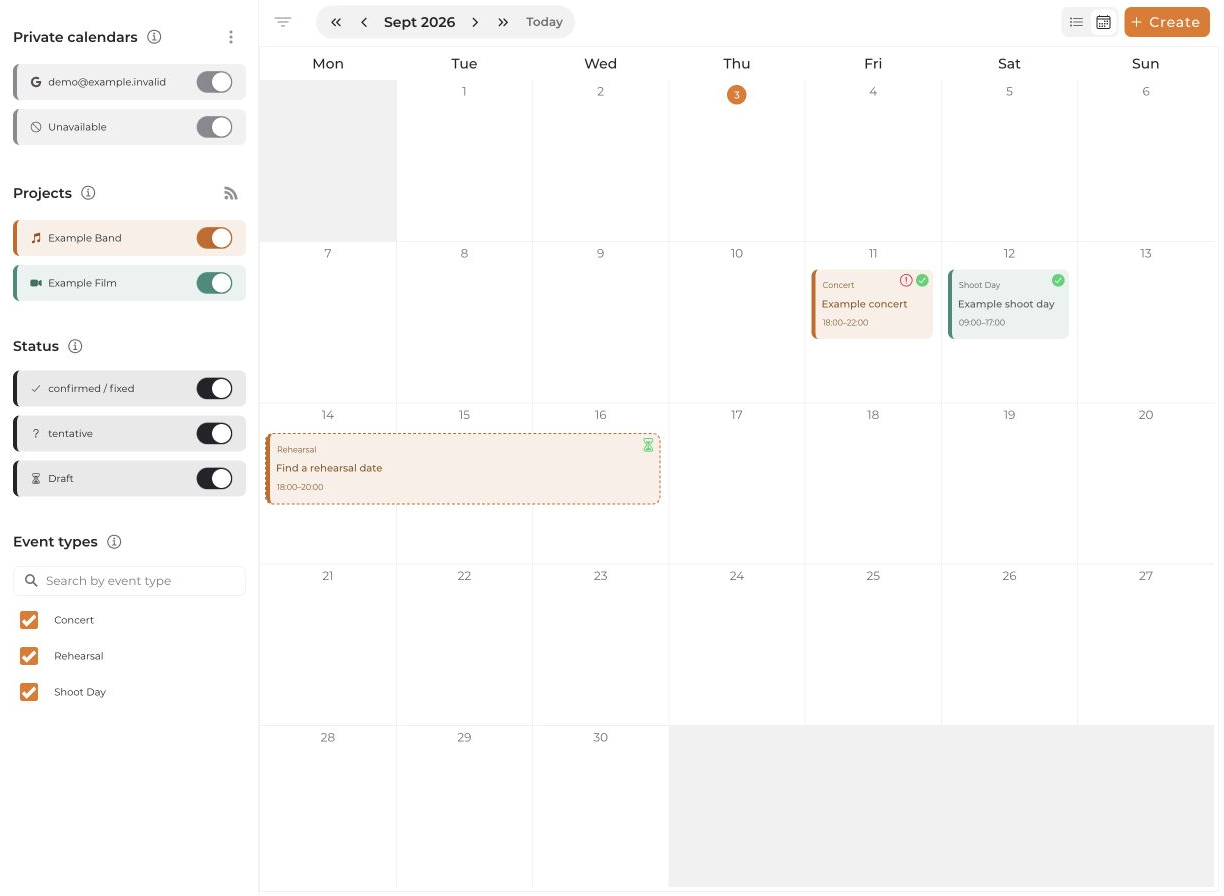
The central calendar shows the project events available to you, your own calendar entries, and private calendars you have chosen to display.
Navigate the calendar
- Open Calendar in the main navigation.
- Use the arrows to change the time range. Today returns to the current date.
- Switch between calendar and list views at the top. The list groups entries by month within the selected year.
- Select an event to open its details. Your permissions determine whether you can edit it.
Filter entries
Open the filters using the filter icon if needed. You can show or hide projects, statuses, and existing event types. Project colors help identify entries.
Under Private calendars, choose which connected calendars appear in this view. These switches do not change conflict or availability checks. If an entry is missing, check the time range and filters first.
Add entries
Use Create to add calendar entries. Project admins can choose Event from the menu; Note / Absence opens the dialog for personal entries. Regular members may go straight to that dialog.
An absence blocks availability; a note does not. See Manage blockers and availabilities.


