As a project admin, you can add organizer contacts to an event and communicate with them there. The project must be open for editing.
Add a contact
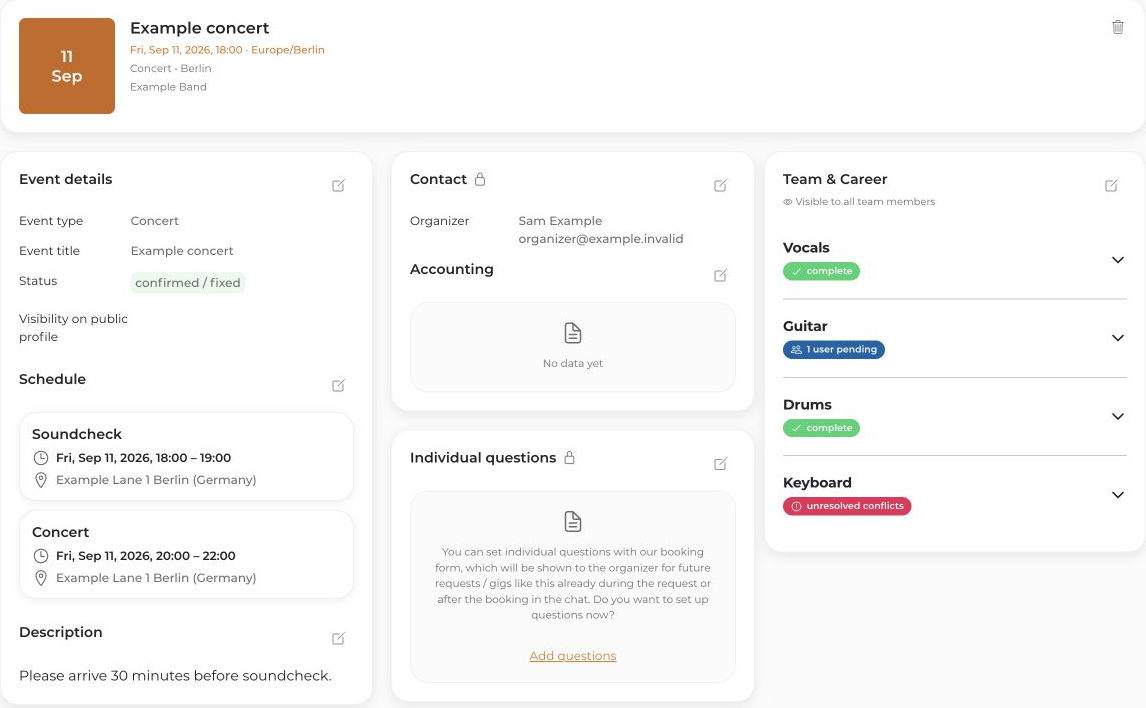
- Open the event in Calendar and edit Details.
- Open Contact → Add contact and enter the responsible contact’s email address.
- Enable Send this calendar information to the contact if the person should receive access to the event.
- Save the contact, then save the event.
Send a message
- Open the event chat.
- Select the recipient before writing. @Admins & Contacts reaches project admins and this event’s contacts, not the entire team.
- Write and send the message.
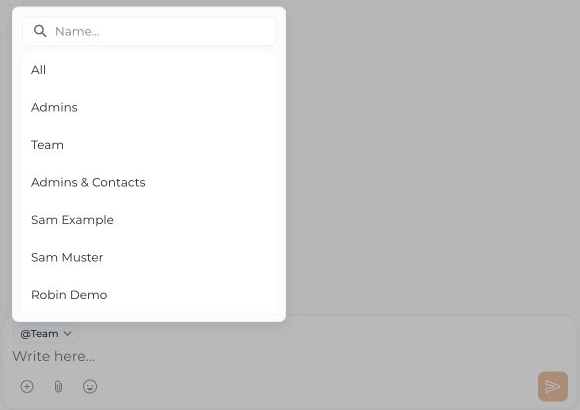
Check the recipient for each message. @Team does not automatically include organizer contacts; a contact may, however, also be a member of the event team. As an admin, you can send a direct message to one organizer contact when that person is available in the recipient list.
Messages are not automatically visible to everyone. Share confidential team discussions only with the intended recipients.


